






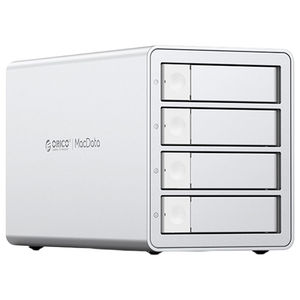
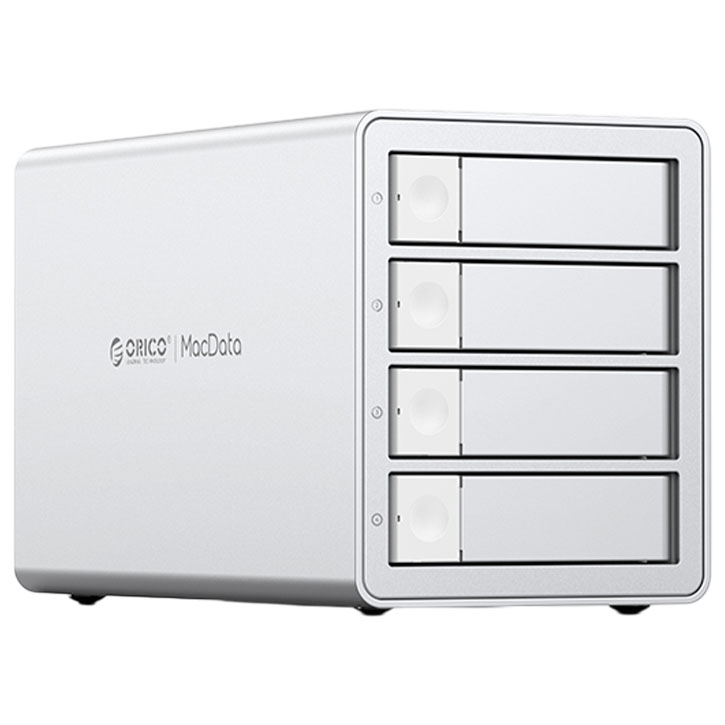
Orico MacVault 4Bay Daisy Chain 4 Bay Hard Drive Enclosure
ORICO-9948C3-AU-SV-BP | OricoThis product has been discontinued
Features
MacVault 4Bay (Without RAID)
- Video Editing Library - Aluminium DAS & Daisy-Chain
- 10Gbps High-Speed Transmission
- Hard Drive Enclosure Daisy-Chain - Expansion up to 330TB
- Aluminium Alloy Body
- Built-in 150W Power Supply - 110TB Expansion
- Honeycomb Cooling Design
- Cooling Fan
- Multiple Heat Dissipation: Aluminium Alloy Body + Cooling Fan + Honeycomb Cooling Design
Daisy Chaining Creativity Extends Infinitely
High-speed transmission + memory expansion, a powerful assistant for video editing
- High Speed No Waiting
- Large Capacity Expansion

Efficiently Manage Vast Media Resources
You can daisy-chain three storage cabinets to expand total capacity up to 330TB
110TB Expansion Data is Easily Stored
Compliant with USB 3.2 Gen2 standard, with 10Gbps theoretical transmission speed
- 2300K Audio files (50MB/Per)
- 570K Animation files (200MB/Per)
- 110K Video files (1GB/Per)
- 2K Video files (50GB/Per)
Note: The capacity is expanded to 44TB with two bays and 88TB with four bays
Office Perfect Match
Mac-style design fits perfectly with your Apple device to create a professional workspace
Superior Chip
Excellent chip master control with fast reading and writing ability
Note: The chip is a rendering, please refer to the actual product for the internal interface
150W Built-In Power Supply
Stable power supply and space saving
High Power Supply
Prevent power shortages during heavy usage to ensure seamless workflow
Built-In Power Supply Design
No need for external power Adaptors, making the work-space cleaner
10Gbps High Speed
Supports UASP acceleration protocol to reduce waiting time
Note: The data is obtained from ORICO 211 Digital R&D and Manufacturing Lab
2-In-1 Data Cable
Supports fast charging and data transfer-manage multiple devices with ease
Type-c to A
- Desktop
- TV
- Router
Type-c to C
- Notebook
- Tablet
- Phone

Multiple Heat Dissipation
Aluminium alloy and cooling fan effectively reduce internal temperature to ensure stable operation of the hard drive during long-term data transmission

Smart Sleep Mode
10 minutes of data-free interaction automatically into hibernation to reduce hard drive wear and power consumption
Note: If you need to cancel the sleep function, you can contact customer service:

Mechanical Fixed Design
The hard drive bracket design is fixed with multiple screws to avoid damage to the hard drive due to collision and shaking
Wide Compatibility Plug & Play
Compatible with Windows, MAC OS, Android, IOS and other operating systems to achieve cross-terminal and cross-platform use
- Support SATA HDD
- Support 2.5-inch SATA SSD
- Supports 2.5/3.5-inch SATA interface hard drives

Anti-Slip Mats
Equipped with silicone anti-slip pads at the bottom to reduce vibrations and prevent slipping

LED Light Design
Each tray is equipped with an LED indicator light, allowing you to check the working status at any time

Aerospace Grade Alloy
Body is crafted from Aluminium alloy. creating a refined texture
Easy Installation
Press the door button from the left to open the tray
Pull out the hard drive bracket and tighten the screws into the four fixing holes aligned with the screw holes on the head of the 2.5/3.5-inch hard drive
Install the bracket into the hard disk cabi-net, close the door, and complete the in-stellation
Tips
The hard disk used for the first time needs to be repartitioned (formatted), if it cannot be recognised and the data is lost. Please contact online customer service If there is important data in your hard drive, it is recommended to make a backup in advance to prevent data loss
The product itself is an accessory device and will not cause damage to the hard drive under normal use. If there is important data in your hard drive, it is recommended to make a backup in advance to prevent data loss. Our company will not be responsible for data loss/loss
Hard Disk Partition Operation Steps
- Put the hard disk into the hard disk box and connect it to the computer
- Format/Partition the hard disk: Right-click My Computer-Manage-Disk Manager-Disk 1-Right-click-Format/Partition
Hard Drive Tips
The hard drive itself is a consumable item, and its service life is directly related to the working hours, working environment, etc. It is generally recommended to replace it after 3-5 years to prevent data loss and damage caused by the old hard drive
Specifications
| Model Number | ORICO-9948C3-AU-SV-BP |
| Colour | Silver |
| Material | Aluminium Alloy ABS |
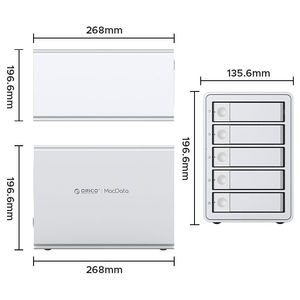
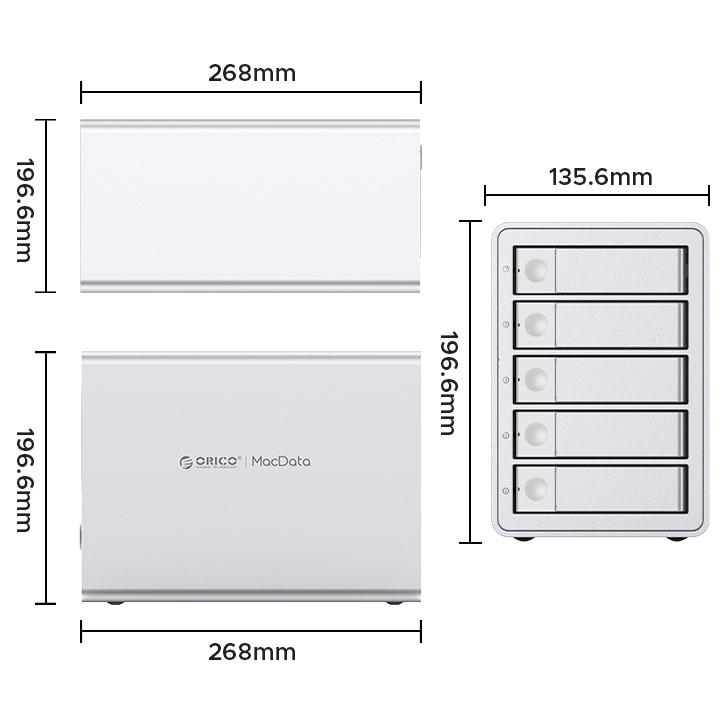
| Dimension | 268 x 135.6 x 163 mm |
| Transmission Rate | 10 Gbps |
| External Interface | USB-C |
| Supported Capacity | Max 88 TB (22 TB Per Bay) |
| Power Supply | Built-in 150 W |
| Cable | 1M Length USB-C to USB-A/-C |
| Supported System | Windows Linux Mac OS |
| Number of Bay | 4 Bay |
| Warranty | 1 Year |
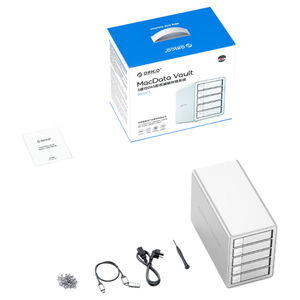
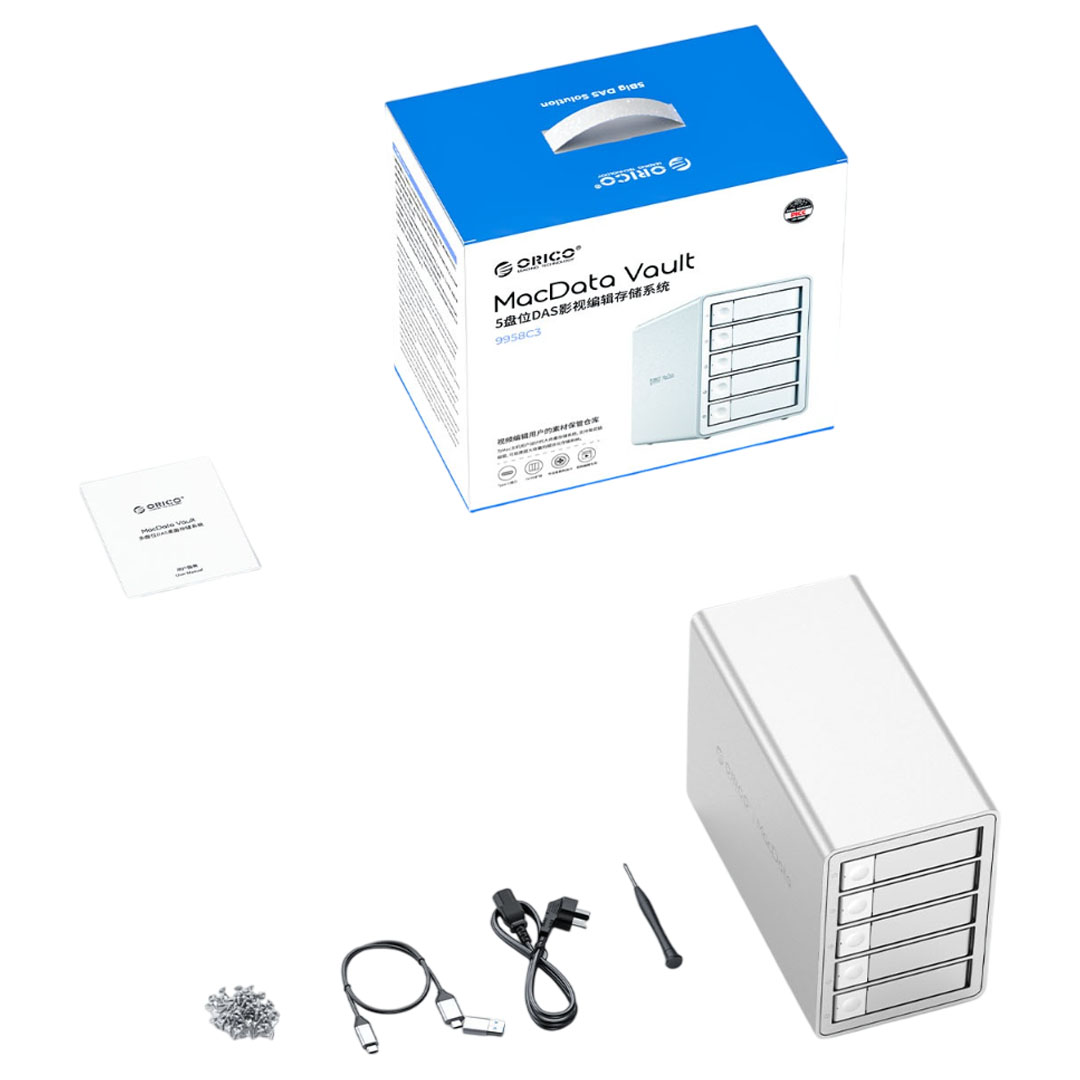
| What's Included | DAS Studio x 1 User Manual x 1 Screwdriver x 1 Data Cable x 1 Screw Pack x 1 Power Cable x 1 |
