


TP-Link IES206G Omada 6-Port Gigabit Industrial Easy Managed Switch
IES206G | TP-LinkThis product has been discontinued
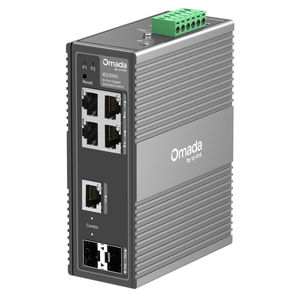
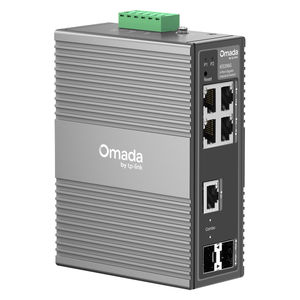
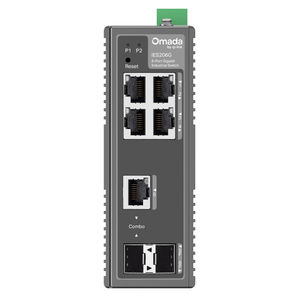
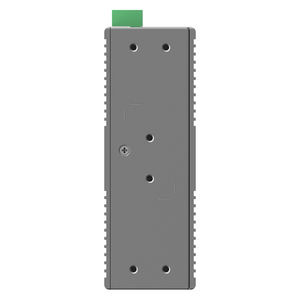
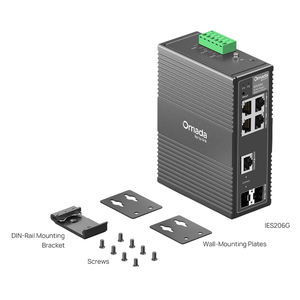
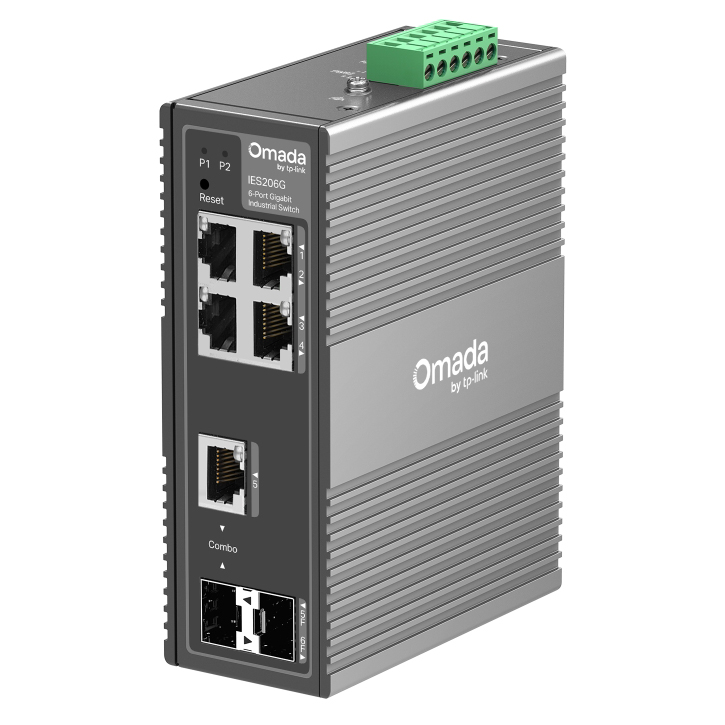
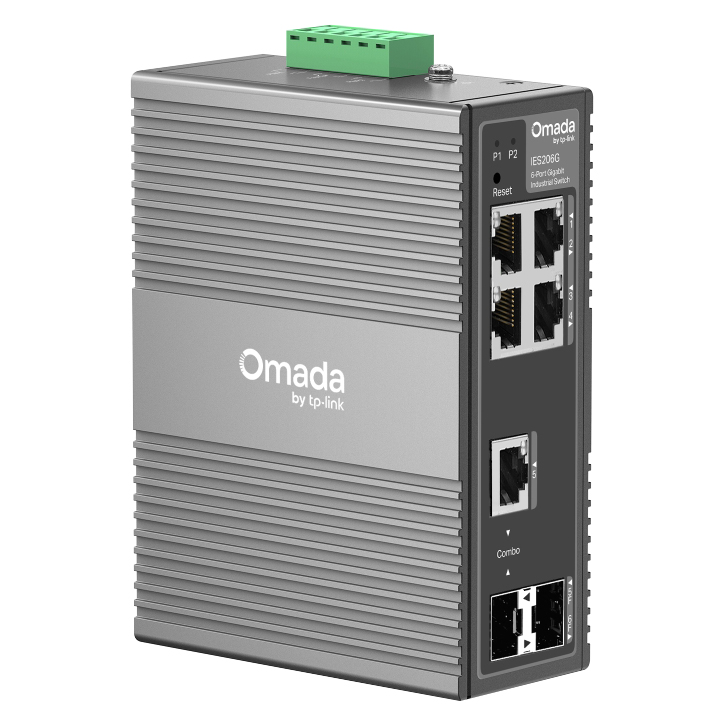
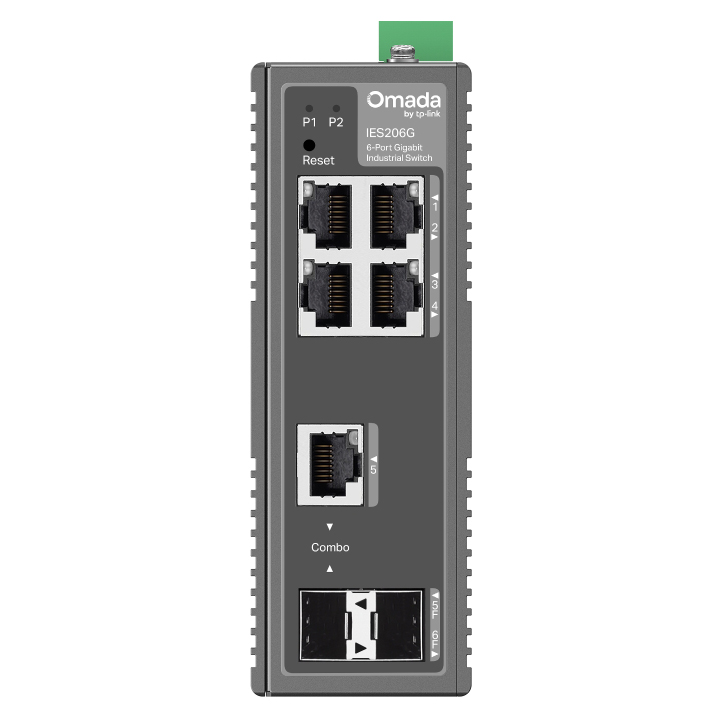
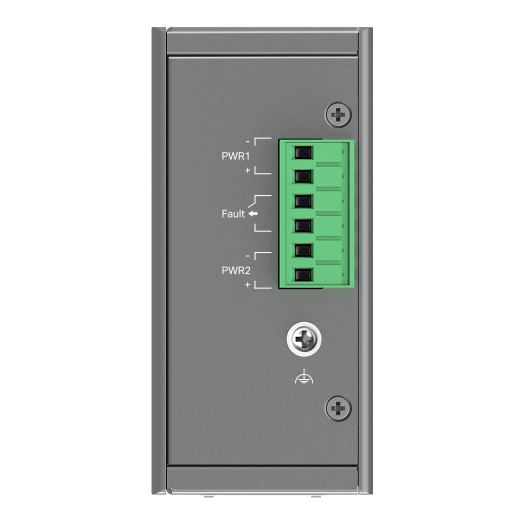
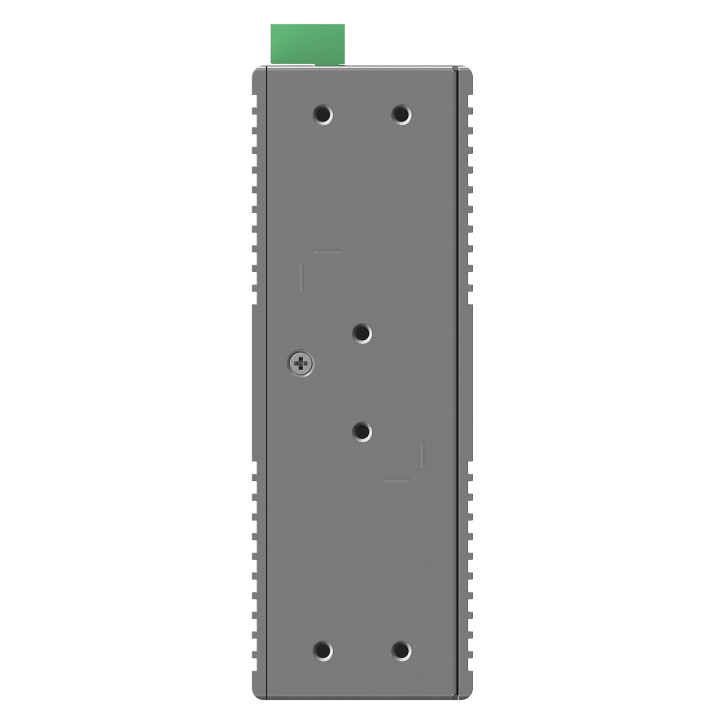
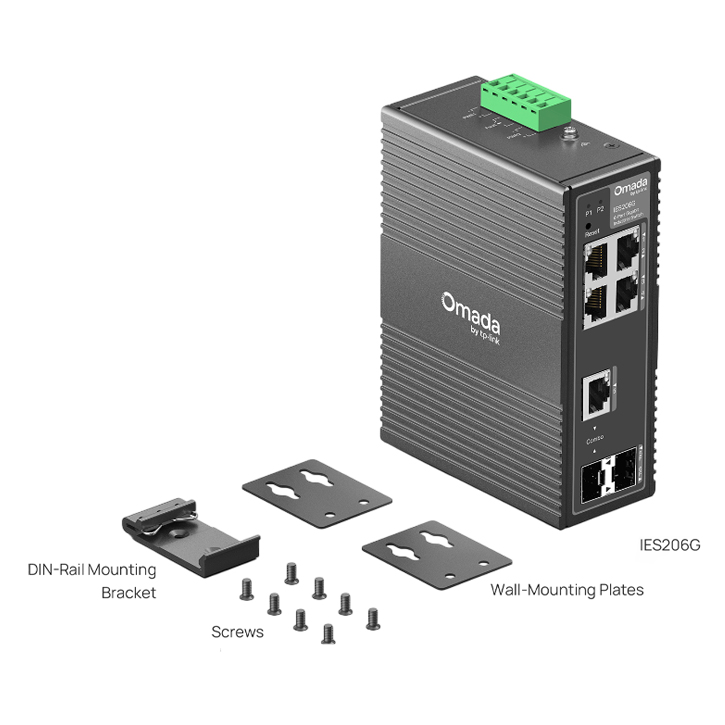
The TP Link IES206G Omada 6 Port Gigabit Industrial Easy Managed Switch features four Gigabit ports, one Gigabit RJ45/SFP combo port and one SFP slot in a rugged IP40 metal case. It supports VLAN, QoS and Omada cloud management, with 6kV surge protection, dual DC power inputs and an operating range from -40 to 75degC.
Features
Omada 6-Port Gigabit Industrial Easy Managed Switch
- 6× Gigabit Ports (4× RJ45, 1× Combo RJ45/SFP, 1×SFP)
- Professional Industrial-Grade Design: -40~75°C Operating Temperature, 6kV Lighting Protection, and 1+1 Redundant Power Input
- Abundant Features: VLAN, QoS, and STP/RSTP
- Centralised Cloud Management via the Web or Omada App (These functions require the use of the Omada Controller. Zero-Touch Provisioning requires the use of Omada Central (Omada Central Standard or Omada Central Essentials). Go to the Omada Central Standard Product List or Omada Central Essentials Product List to find all the supported models.)
- Durable IP40 Aluminium Casing and DIN-rail / Wall-mount Design
- 9.6~60VDC 1+1 Redundant Power Input

Industrial-Grade Protection Built for Harsh Environments
- -40°C to 75°C Operating Temperature
- 6kV Lightning Protection
- Industrial-Grade IP40 Aluminium Casing

Enhanced Networking Stability and Security
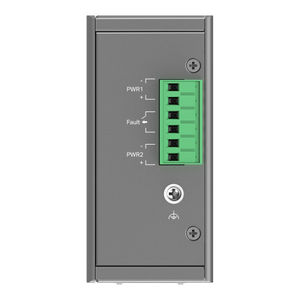
1+1 Redundant Power Input
Equipped with dual power input ports and a wide 9.6-60V DC voltage range, ensuring continuous operation even if one power supply fails.
Real-Time Fault Alarm
Connected to an external alarm, the switch outputs an alarm signal promptly if a port is disconnected or power input is abnormal.

Easy Operation and Maintenance with Omada’s Free Cloud Management
- Easy to Use with Plug-and-Play Design and Simple Configuration
- Free and Easy Centralised Cloud Management via Omada Central Essentials
- Access Logs and Receive Alert Notifications at Any Time
- Intelligent Network Monitoring for Instant Topology Views and Effortless Troubleshooting

Flexible Deployment Options

Diverse Industry Applications
Build Features

Front & Back View

Dimensions & Top View
Specifications
General Data
| Model Number | IES206G |
| Certification | FCC, CE, RoHS |
| What's Included | IES206G DIN-Rail Mounting Bracket Wall-Mounting Plates Installation Guide |
| Environment | Operating Temperature: -40~75 (-40~167) Storage Temperature: -40~85 (-40~185) Operating Humidity: 5%~95% non-condensing Storage Humidity: 5%~95% non-condensing |
Hardware Features
| Interface | 4x 10/100/1000 Mbps RJ45 Ports 1x Gigabit SFP/RJ45 Combo Slot 1x Gigabit SFP Slot Auto-Negotiation/Auto MDI/MDIX |
| Fan Quantity | Fanless |
| Installation | DIN-rail mounting Wall mounting |
| Power Supply | 9.6-60V 1+1 Redundant DC Power Input |
| Dimensions ( W x D x H ) | 5.1 x 3.7 x 1.8 in (129 x 95 x 45 mm) |
| Surge Protection | ±6 kV in common mode for Ethernet ports ±4 kV in common mode for DC power input ports |
Performance
| Switching Capacity | 12 Gbps |
| Packet Forwarding Rate | 8.93 Mpps |
| MAC Address Table | 8K |
| Packet Buffer Memory | 4 Mbit |
| Jumbo Frame | 15 KB |
Software Features
| Quality of Service | 802.1p DSCP Priority 8 Priority Queues Priority Schedule Mode WRR (Weighted Round Robin) Queue Weight Config Bandwidth Control Port-Based Rate Limit Storm Control Multiple Control Modes (kbps/pps) Broadcast/Multicast/Unknown-Unicast Control |
| L2 Features | Link Aggregation Static Link Aggregation Up to 2 aggregation groups and up to 4 ports per group Loopback Detection Flow Control 802.3x Flow Control Mirroring Port Mirroring One-to-One Many-to-One Ingress/Egress/Both Port Statistics Port Mirror Status Traffic Statistics 802.1ab LLDP Spanning Tree STP (802.1d) RSTP (802.1w) |
| L2 Multicast | IGMP Snooping IGMP v1/v2/v3 Snooping Fast Leave |
| VLAN | MTU VLAN Port-Based VLAN 802.1Q Tag VLAN Max 32 VLAN Groups 4K VID |
| Transmission Method | Store-And-Forward |
Management Features
| Omada App | Yes. Requires the use of Omada Hardware Controller, Omada Cloud-Based Controller, or Omada Software Controller. |
| Centralised Management | Omada Cloud-Based Controller Omada Hardware Controller Omada Software Controller |
| Cloud Access | Yes. Requires the use of Omada Hardware Controller, Omada Cloud-Based Controller, or Omada Software Controller. |
| Zero-Touch Provisioning | Yes. Requires the use of Omada Cloud-Based Controller |
| Management Features | Web-based GUI DHCP Client Cable Diagnostics Digital Diagnostic Monitoring (DDM) Automatic Device Discovery (These functions require the use of the Omada Controller. Zero-Touch Provisioning requires the use of Omada Central (Omada Central Standard or Omada Central Essentials). Go to the Omada Central Standard Product List or Omada Central Essentials Product List to find all the supported models.) Batch Configuration (These functions require the use of the Omada Controller. Zero-Touch Provisioning requires the use of Omada Central (Omada Central Standard or Omada Central Essentials). Go to the Omada Central Standard Product List or Omada Central Essentials Product List to find all the supported models.) Batch Firmware Upgrading (These functions require the use of the Omada Controller. Zero-Touch Provisioning requires the use of Omada Central (Omada Central Standard or Omada Central Essentials). Go to the Omada Central Standard Product List or Omada Central Essentials Product List to find all the supported models.) Unified Configuration (These functions require the use of the Omada Controller. Zero-Touch Provisioning requires the use of Omada Central (Omada Central Standard or Omada Central Essentials). Go to the Omada Central Standard Product List or Omada Central Essentials Product List to find all the supported models.) |
Backed by a 5 year TP-Link warranty.
