






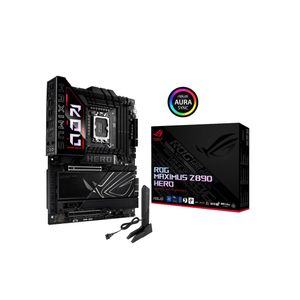
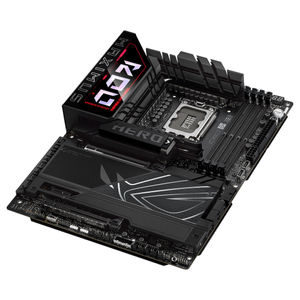
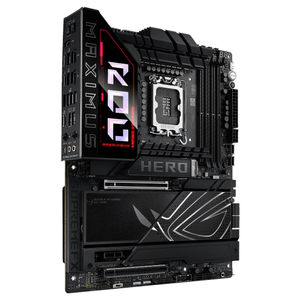
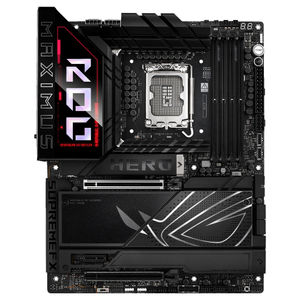
ASUS ROG Maximus Z890 Hero WiFi DDR5 Motherboard
ROG-MAXIMUS-Z890-HERO | ASUSThis product has been discontinued
 FREE SHIPPING
  FREE SHIPPING
  FREE SHIPPING
  FREE SHIPPING
  FREE SHIPPING
  FREE SHIPPING
  FREE SHIPPING


|
Warning: This product contains a button battery - If swallowed, a lithium battery can cause severe or fatal injuries with 2 hours. - Keep batteries out of reach of children. - If you think batteries may have been swallowed or placed inside any of the body, seek immediate medical attention. |
Features
ROG Maximus Z890 Hero
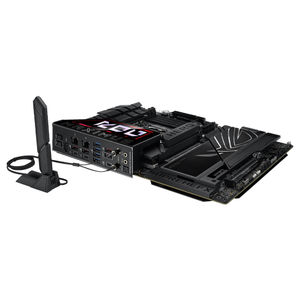
The ROG Maximus Z890 Hero unleashes the performance of Intel® Core™ Ultra processors (Series 2) via exclusive AI PC technologies, robust power delivery, Optimised thermal management, extensive PCIe® 5.0 support, DDR5 slots and WiFi 7. Meanwhile, angular design elements and Polymo II Lighting accents around the ROG logo deliver a signature aesthetic that elevates system design.
- Teamed Power Solution
- AI Networking II
- AI Cooling II - One-click fan tuning
- Overclocking - Effortless performance boost
- DDR5 - Max. 192GB, NitroPath DRAM Technology, DIMM Flex, AEMP III
- Extensive Gen 5 - x3 onboard M.2 slots, and x1 PCIe 5.0 x16 slots
- WiFi 7
- EZ PC DIY
- Polymo Lighting II
- Thunderbolt™ 4
Performance
Extreme Power & Performance
- Dual Procool II Power Connectors
- 22(110A)+1(90A)+2(90A)+2(80A) Power Stages
- Expansion Slots
1 x PCIe 5.0 x16 Safe Slots
1 x PCIe 4.0 x16 Slot
1 x PCIe 4.0 x1 Slot - Intel® Socket LGA1851
For Intel® Core™ Ultra Processors (Series 2) - DDR5, 4 X DIMM
Max. 192GB
Dual Channel - 6 x M.2 Slots
1 x M.2 22110 (PCIe 5.0 x4)
2 x M.2 2280 (PCIe 5.0 x4)
3 x M.2 2280 (PCIe 4.0 x4)
Cooling
Comprehensive Cooling
- Integrated I/O Cover & VRM Heatsinks
- Heatsinks for Six M.2 Slots
Four M.2 Slots with backplates and thermal pads - Multiple 4-Pin PWM Fan Headers
Gaming Immersion
Total Gaming Immersion
- I/O ZONE POLYMO LIGHTING II
- SUPREMEFX 7.1 ALC4082 AUDIO CODEC
ESS® ES9219 QUAD DAC
120 dB SNR stereo playback output
100 dB SNR recording input
Gold-plated audio jacks - Dolby Atmos
- 3 x 3-Pin Addressable Gen 2 RGB Headers
Connectivity
Full Connectivity
- BIOS FLASHBACK™ BUTTON
- CLEAR CMOS BUTTON
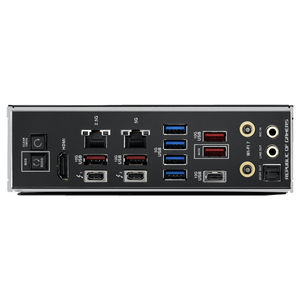
- 1 x HDMI® PORT
- 2 x THUNDERBOLT™ 4 USB TYPE-C® PORTS
- Marvell® 10Gb ETHERNET PORT
- INTEL® 2.5Gb ETHERNET PORT
- REALTEK 5Gb ETHERNET PORT
- 4 x USB 5Gbps PORT
(4 x Type-A) - 5 x USB 10Gbps PORTS
(4 x Type-A + 1 x USB Type-C®) - WI-FI 7
- OPTICAL S/PDIF OUT - 2 x GOLD-PLATED AUDIO JACKS
- 1 x USB 20Gbps
USB Type-C® front panel connector supports QC4+ - 1 x USB 10Gbps
USB Type-C® front panel connector - 4 x SATA 6GB/S
- 1 x SLIMSAS CONNECTOR
supports PCIe 4.0 x4 or SATA mode
ASUS AI Intelligence

AI Networking II
AI Networking II combines intelligent technologies to continuously Optimise network performance, provide trustworthy and seamless connectivity, and unleash the full speed of WiFi 7 (*Features may vary by model.)
Traffic Monitor
Armoury Crate's Traffic Monitor tracks your current WiFi channel usage. Move to a less congested channel by clicking the “Channel Switch” button (The "Channel Switch" function requires pairing with an ASUS router. If not paired with an ASUS router, the channel change process can be performed in the "Router IP" section of the Traffic Monitor.) for improved network performance.
Fast Check
Armoury Crate’s Fast Check empowers users to rapidly detect WiFi signal strength.
Direction Finder
Armoury Crate’s Direction Finder (The Direction Finder is only compatible with connections in the 5GHz and 6GHz bands) helps users detect the optimal antenna orientation for achieving the best WiFi signal strength.
Game First
GameFirst is now integrated into Armoury Crate for an even better user experience. GameFirst Optimises networking performance by allocating bandwidth in real time, based on intelligent algorithms designed for various application Customisable usage scenarios and corresponding learning algorithms. The latest update includes dedicated support for NVIDIA® GeForce NOW to ensure the lowest latency possible during intense game streaming cloud gaming sessions.

AI Overclocking
Tuning is now faster and smarter than ever before.
ASUS AI Overclocking profiles the CPU and cooling to predict the optimal configuration and push the system to its limits. Predicted values can be engaged automatically or used as a launching ground for further experimentation.

AI Cooling II
Balance the thermals and acoustics of any build with a single click.
A proprietary ASUS algorithm slashes unnecessary noise while running a quick stress test, and then monitors CPU temperatures to dynamically adjust fans to optimal speeds.
ASUS AI Advisor
Using AI technology to understand natural-language questions or scenario descriptions, ASUS AI Advisor allows users to explore the functionality and advanced features of ASUS motherboards in a simple and straightforward way.
ASUS AI Advisor is an ASUS technical expert that's always available to answer your questions. Owners of compatible ASUS motherboards can interact with this AI-powered technology using natural language to learn more about their hardware. For DIY beginners, it can provide easy-to-understand explanations of one-click Optimisation features like AI Overclocking and AI Cooling II, and for seasoned PC-building veterans, it can offer guidance and instructions on the latest features offered by ASUS.
Performance - Overclocking
NPU Boost
The integrated NPU in Intel® Core™ Ultra Processors (Series 2) efficiently accelerates AI workflows - and NPU Boost lets you do more with it. This BIOS feature overclocks the NPU with just one click, increasing performance by up to 24%.
* The overclocking performance may vary depending on the CPU series and motherboard used.
** Testing was conducted with an Intel Arrow Lake QS Q2HA Ultra 9 285K processor, ROG Maximus Z890 motherboard, GeForce RTX™ 4090 24GB graphics card, and XPG Lancer DDR5 memory modules (model AX5U6000C4016G).
Differential Sensing
Conventional motherboards use single-ended sensing tapped from a location that isn't ideal, leading to a large disparity between the actual voltage fed to the CPU and the value reported to software. The ROG Maximus Z890 features a differential-sensing circuit and delicate IC that simplify overclocking and tuning by allowing you to track voltages more accurately.
Performance - Memory

DDR5 Domination
Thanks to improved signal routing, now enthusiast-grade kits can be driven far beyond the 8 GT/s mark on the ROG Maximus Z890 (Memory overclocking may vary between CPU series. Please refer to the spec table for detailed information.)
DDR5 Strength
ROG has a long legacy of flexing the fastest memory performance, and DDR5 is no outlier. Thanks to improved signal routing, now enthusiast-grade kits have been driven far beyond the 8 GT/s mark on the ROG Maximus Z890 Hero, and who knows how far future DIMMs can go? Seasoned veterans can test their mettle by tinkering with the extensive array of tuning options in the UEFI.
*Memory overclocking may vary between CPU series. Please refer to the spec table for detailed information.
NitroPath DRAM Technology
- Frequency up to 400 MT/s higher
- Slot retention force enhanced by 57%
- Gold finger pins 39% higher
NitroPath DRAM Technology provides enhanced DDR5 memory performance. Shorter gold finger pins and Optimised signal pathways ensure faster data transfers between your DRAM and CPU, allowing for greater memory overclocking headroom and stability. These reinformed DRAM slots are also better prepared to withstand the wear and tear of the RAM installation process than traditional slot designs, perfect for enthusiasts who keep their system upgraded with the fastest kits available.
DIMM Fit
DIMM Fit is an ASUS-exclusive BIOS feature that precisely analyses individual memory modules to Optimise performance and pinpoint potential issues.
DIMM Fit offers peak efficiency, compatibility, and system stability.
Whether you are an overclocker seeking ultimate performance, a competitor pursuing the most responsive gameplay, or a content creator prioritising rock-solid stability, DIMM Fit provides Optimisations tailored to your needs and your hardware configuration.
DIMM Flex
DIMM Flex employs specialised circuitry that can boost performance or address potential stability issues, depending on temperature readings.
MAX FPS preset 3840x2160
DIMM Flex provides enthusiasts with a powerful new way to overclock their DDR5 memory modules. It employs specialised circuitry that can boost performance or address potential stability issues, depending on temperature readings. When temperatures are nominal, it can use the extra headroom to increase speeds and efficiency. And when temperatures increase, it can adjust memory behaviour downward to maintain stability.
Average FPS Comparison Across Games
Metro Exodus - preset 2560x1440
- Default: 132.14
- XMP: 133.92: +1.35%
- DIMM Flex: 155.38: +17.59%
Counter-Strike: Global Offensive - MAX FPS preset 3840x2160
- Default: 190
- XMP: 200: +5.26%
- DIMM Flex: 210: +10.53%
* Results may vary according to the capabilities of your CPU, graphic card, motherboard, and memory modules.
** The comparison chart is based on a test with an Intel Core i9-14900K processor, ROG Strix Z790-E Gaming WiFi II motherboard, ROG Strix GeForce RTX™ 4090 OC Edition 24GB graphics card, and G.SKILL DDR5 memory modules (model F5-7200J3646F24GX2-TZ5RK).
AEMP III
ASUS Enhanced Memory Profile III (AEMP III) is an advanced firmware feature that empowers users to achieve unparalleled memory performance with cutting-edge CUDIMM memory. Through a two-phase comprehensive tuning process, AEMP III first Optimises the clock driver and then the memory frequency. This results in the best balance between performance and stability, even at cutting-edge speeds of DDR5-8000 or higher.(Results may vary according to individual system specifications. Currently, only 2-DIMM configurations are supported. Results are based on a test with an Intel Core Ultra 9 285K processor and 2x16GB SK Hynix DDR5-6400 Clocked Unbuffered DIMM RAM, model HMCG78AHBCA326N.)
Power Solution
ROG Ultimate Power Solution
24(110A)+1(90A)+2(90A)+2(80A) Power Stages
The VRM features 24+1+2+2 power stages, each rated to handle up to 110 amps
- 24 CORE (110A)
- 1 CCGT (90A)
- 2 CCSA (90A)
- 2 NNAON (80A)
8 + 8-Pin ProCool II Power Connectors
Dual ProCool connectors ensure a snug and reliable connection to the EPS 12V power lines.
10K Black Metallic Capacitors
Input and output filtering is provided by solid-polymer capacitors rated to last thousands of hours at high operating temperatures.
Microfine Alloy Chokes
Each power stage is accompanied by a high-permeability alloy-core choke rated to handle 45 amps.
Cooling
High-Conductivity Thermal Pads
Each thermal pad improves overall heat transfer from the system by bridging the heat generated by the power stages to the heatsink.
VRM and Aluminium I/O Heatsink
A VRM heatsink on the MOSFETs and chokes is connected to the aluminium I/O cover via an embedded heat pipe to increase mass and surface area for dissipation.
M.2 Heatsinks and Backplates
Large aluminium heatsinks provide extensive surface area to cool mounted M.2 drives, and four onboard M.2 slots have dedicated backplates for additional heat dissipation.
Chipset Heatsink
A dedicated heatsink draws heat away from the chipset to maintain optimum operating temperature.
Thermal Management
An extensive array of headers line the ROG Maximus Z890 for precise cooling control and monitoring.
Multiple Temperature Sources
Each header can be set to monitor and react to three user-configurable thermal sensors for workload-based cooling, and all settings can be easily managed by Fan Xpert 4 or UEFI.
4-Pin Fan Headers
In addition to the pair of CPU fan headers, the ROG Maximus Z890 Hero features four chassis headers, and each supports auto-detection of PWM or DC fans.
AIO Pump Header
An additional PWM/DC fan header offers dedicated control of self-contained water-cooling setups.
Cooler Compatibility
ASUS AIO coolers offer robust performance, high overclocking potential, bold aesthetics and Customisable functionality for new Z890 motherboards, empowering you to build your dream gaming rig.
M.2 Slots with ROG M.2 Power Boost
The ROG Maximus Z890 Hero features three PCIe® 5.0 M.2 slots and three PCIe 4.0 M.2 slots onboard, all of which support ROG M.2 Power Boost to help ensure that every onboard M.2 device can operate simultaneously at optimal performance.
Six Onboard M.2 Slots
The ROG Maximus Z890 Hero features six onboard M.2 slots, three of which are PCIe 5.0-ready to offer blistering 16 GB/s speeds, while the others offer still-impressive 8 GB/s over PCIe 4.0 interfaces. It also features a SlimSAS connector, which supports PCIe 4.0 x4 mode or up to 4 SATA devices via a transfer cable. The cable is purchased separately.
ROG M.2 Power Boost
ROG M.2 Power Boost is an exclusive ASUS motherboard feature that provides amperage exceeding industry standards, supporting all six onboard M.2 slots to operate simultaneously at optimal performance. This advanced power setup helps ensure stability and data integrity even under high loads, while also helping to ensure the rated lifespan of an M.2 SSD.
PCIe 5.0 Expansion Slot
The primary PCIe 5.0 x16 Safe Slot with PCIe Slot Q-Release Slim fully supports next-gen graphics cards.
The primary x16 expansion slot offers PCIe 5.0 with incredible speeds up to 64 GB/s for compatible devices, fully supporting next-gen graphics cards. To bear the weight of massive graphics cards, it is also protected with a Safe Slot retention bracket which can be released easily, thanks to PCIe Slot Q-Release Slim.
Wi-Fi 7
- 320 MHz
- 6GHz band
- 4096 QAM
- up to 4.8X ultra-fast WiFi speeds
-
2.5Gb Ethernet 5Gb Ethernet
The revolutionary WiFi 7 is up to 4.8X times faster than standard WiFi 6*, thanks to tech like 320MHz channels** on the 6GHz band and 4K QAM*. Multi-Link Operation (MLO) provides a more stable WiFi connection and lower latency, unlocking the realms of the unknown in gaming, streaming and industrial IoT.
*WiFi 7 features require onboard WiFi chipset, WiFi AP, and WiFi 7-supported operating systems to support the corresponding features. 320MHz channels in the 6GHz band may be unavailable in some regions/countries due to regulatory restrictions.
**Specifications vary by model.
2.5Gb Ethernet
Low-latency gaming, speedy file transfers, and high-resolution video streaming are among the many perks of onboard Intel® 2.5Gbps Ethernet.
5Gb Ethernet
Low-latency gaming, speedy file transfers, and high-resolution video streaming are among the many perks of onboard Realtek 5Gbps Ethernet.
ASUS WiFi Q-Antenna
Dual transceivers support the 2.4, 5 and 6GHz bands to enable faster throughput, with directional sensitivity to improve signal quality and cover greater distances.
Wireless Signal Reception Improvement
Versus previous-generation antenna
- Up to +6% 6GHz
- Up to +18% 5/2.4GHz
USB Ports

Two Thunderbolt™ 4 Type-C® Ports
Each port delivers up to 40 Gbps of bidirectional bandwidth for the latest super-speed devices and drives. The Thunderbolt Display function supports up to 8K with DSC. Please see specifications for more details.

One USB 20Gbps & One USB 10Gbps Type-C Front Panel Connectors
The USB 20Gbps front-panel connector features Quick Charge 4+ technology that can rapidly charge devices up to 60W.
* USB Type-C® power delivery output: 5/9/15/20V max. 3A, PPS:3.3–21V max. 3A
* To support 60W, please install the power cable to the 8-pin PCIe power connector or else only 27W will be supported.
Gaming Audio
ROG SupremeFX Dolby Atmos
SupremeFX
ROG SupremeFX audio technology delivers an exceptional 110 dB signal-to-noise ratio to the line-in jack for pristine recording quality. There’s also a low-dropout regulator for cleaner power delivery to the SupremeFX ALC4082 codec and an integrated ESS® ES9219 Quad DAC capable of reaching -114dB THD+N for superior front-panel output. This combined solution allows for end-to-end 32-bit 384 kHz resolution playback that conveys all the subtlety and nuances of each audio track.
Audio Line Shielding
Blocks electromagnetic interference from the motherboard or add-ons to provide cleaner audio.
Capacitors
Fine-quality components that produce a warmer, natural sound with exceptional clarity and fidelity.
ALC4082 Codec
Instead of a conventional high definition audio (HDA) interface, the ALC4082 codec uses a USB interface to deliver studio-level sound reaching up to 32-bit 384 kHz audio resolution.
Switching MOSFETS
Unique design allows the codec's impedance-sensing function to be ported with either the front or rear headphone outputs.
ESS® ES9219 QUAD DA
The ESS® ES9219 QUAD DAC integrated QUAD DAC amplifier is capable of providing -114 dB total harmonic distortion (THD+N) for standard audio devices, and it can ramp up to 2Vrms on supported audiophile hardware. In addition, the 121 dB dynamic range (DNR) provides an extremely low noise-floor, further accentuating dynamics and punch.
Dolby Atmos
Dolby Atmos expands on traditional surround sound systems by adding height channels, allowing sounds to be interpreted as three-dimensional objects. This creates an immersive audio experience, giving the sensation of sound coming from above, below, and around the listener.
EZ PC DIY
PCIe® SLOT Q-RELEASE
With PCIe® Slot Q-Release Slim, simply tilt the card toward the latching mechanism to automatically unlock it from the PCIe slot. This makes upgrades and maintenance easier than ever before. Users will no longer need to fiddle with a tricky latch or even press a button to release their graphics card from the slot.
M.2 Q-Release
The M.2 heatsink features a convenient switch (Switch may be a lever or button, depending on motherboard model.) to quickly remove it, eliminating the need for tiny screws during SSD installation. Its strong locking mechanism also provides a snug contact surface, helping to ensure reliable heat dissipation for your SSD.
M.2 Q-Slide
This new sliding M.2 latch design supports sizes 2242, 2260 and 2280 for easy device installation.
New M.2 Q-Latch
The new Q-Latch design allows for tool-free installation or removal of M.2 SSDs with just one press.
Q-Antenna
With Q-Antenna, attaching a WiFi antenna to your PC is now easy and fast. Instead of slowly rotating two fasteners until they finally lock in, they just snap into place. Less hassle, and more consistent performance.
Q-Code
The on-board LED panel shows 2-digit diagnostic codes, providing a valuable reference for troubleshooting common boot problems and hardware issues.
Start Button
This convenient button removes the need to manually jump hard-to-reach pins during testing and troubleshooting.
Q-LED
Q-LED is a set of troubleshooting lights to give PC builders quick indicators to confirm that key components - CPU, RAM, graphics card, storage devices - are functioning normally during startup. Q-LED can also alert them when memory modules have not been properly installed-even before attempting to boot a newly built PC.
Clear CMOS
The Clear CMOS button quickly resets BIOS settings to factory default. It can also be used to reboot the PC if incorrect BIOS settings have been selected.
BIOS Flashback™
BIOS FlashBack™ is a safe and simple way to update BIOS. Just drop the (UEFI) BIOS file onto a FAT32-formatted USB stick, plug it into the USB BIOS FlashBack port, and press the button. Updates can even be performed without having memory or a CPU installed.
UEFI BIOS
The renowned ROG UEFI (BIOS) provides everything you need to configure, tweak, and tune your rig. It offers intelligently simplified options for newcomers to PC DIY, as well as more comprehensive features for seasoned veterans.
BIOS Q-Dashboard
Simplify your motherboard configuration with BIOS Q-Dashboard. Its intuitive visual representation of hardware connections and corresponding BIOS settings takes the complexity out of setting up your system. Upgrade now, and discover the power of BIOS Q-Dashboard to easily and efficiently enhance your computing setup.
Advanced Mode
When you’re ready for a deeper dive, delve into the UEFI’s Advanced mode and take complete control. Advanced mode enables full control over every aspect of the motherboard, and a built-in search function helps you quickly find the setting you need.
- My Favourites - Quickly locate tuning options and add preferred tools to your favourites list.
- EZ Flash 3 - Flash the latest BIOS via the internet from within the BIOS.
- S.M.A.R.T. - Check your storage device Self-Monitoring, Analysis, and Reporting Technology (S.M.A.R.T.) logs to gauge reliability or to identify potential failures.
- GPU POST - Automatically detect selected ASUS graphics cards to view detailed information.
- Secure Erase - Restore your SSDs and NVMe storage to factory settings.
- Last Modified Log - Track the last change and save preferred profiles to a USB drive.
- SATA Port Renaming - Rename SATA ports for easy identification.
- ASUS User Profile - Port configuration settings between different BIOS versions or share them with friends.
- Q-Fan Control - Configure the fan's operating speed manually or use pre-configured Standard, Silent, Turbo, or Full Speed modes. By default, system fans will automatically switch to full speed if the temperature reaches 75° C.
- Aura On/Off mode (Stealth) - Easily enable or disable Aura RGB lighting or every onboard LED, for a more subdued aesthetic.
Software
ASUS Driver Hub
ASUS Driver Hub streamlines the installation and management of ASUS drivers and utilities to keep your hardware up-to-date and performing optimally. This standalone application automatically detects current driver versions and presents available updates in a list view. By default, it supports ASUS motherboards, and users are invited to install ASUS Driver Hub after OS installation. Additionally, ASUS Driver Hub offers one-click installation and update checks, making it easier for users to keep their systems running smoothly and efficiently.
TURBOV Core
Accessed via ASUS Driver Hub, TurboV Core delivers intuitive CPU tuning that can unleash performance for overclocking enthusiasts. No need to enter the BIOS – you can seamlessly modify settings directly from within Windows and apply them right away, without needing to reboot. TurboV Core is engineered to elevate system capabilities, with unprecedented simplicity.
Seamless Dual-PC Sharing with Thunderbolt™ Share
Experience a revolutionary way to interact with two PCs using Thunderbolt Share—the ultrafast connectivity solution that transforms your dual-PC setup. Seamlessly share screens, keyboards, mice, storage and files between two computers, with the unparalleled speed of Thunderbolt technology.
*A certified Thunderbolt™ or USB4® cable is required to meet minimum bandwidth requirements. Cable not included.
- Control Other Computer
- Sync Files
- Drag and Drop
- Transfer Data to a New Computer
Dolby Atmos
Dolby Atmos expands on traditional surround sound systems by adding height channels, allowing sounds to be interpreted as three-dimensional objects. This creates an immersive audio experience, giving the sensation of sound coming from above, below, and around the listener.
ASUS GlidEx
ASUS GlideX is a cross-device, cross-platform screen-sharing, screen-control and operation solution for enhanced productivity across PCs, tablets, and smartphones via USB or WiFi. Features include screen mirroring, screen extension, unified control with one keyboard and mouse, easy file transfers, and using mobile cameras as PC webcams. It's compatible with Windows, macOS, Android, and iOS.
- Mirror
- Extend (PC to Mobile)
- Extend (PC to PC)
- Unify Control
HWiNFO
HWiNFO and ROG have collaborated on this comprehensive system information and diagnostic tool that provides detailed information about hardware components and real-time monitoring of system performance in ROG style. It supports a wide range of hardware devices, and it is regularly updated to include the latest technologies.
AIDA64 Hero
The ROG Maximus Z890 Hero includes a one-year AIDA64 Hero subscription, a tool that provides detailed information about hardware and software, as well as benchmarks to measure the performance of the entire system or individual components. AIDA64 Hero includes a monitoring and diagnostics feature to detect and prevent hardware issues. All vital system sensors can be tracked in real time, allowing voltage readings, fan speeds, and temperature information to be displayed on the desktop or sent to dedicated displays or to the LCD panels of ROG AIO liquid coolers*.
*Support available for ROG Ryujin III and later models.
Armoury Crate
Armoury Crate is a software utility designed to give you centralised control of supported gaming products, making it easy to tune the look and feel of your system. From a single intuitive interface, Armoury Crate helps you Customise RGB lighting and effects for compatible devices and synchronise them with Aura Sync to create a unified lighting scheme across your system. In addition, Armoury Crate’s Fan Xpert4 tool provides comprehensive control over fans, water pumps, and all-in-one (AIO) coolers.

Personalisation
Glow your gaming world with aura sync
Up your game with complementary Aura Sync enhanced aesthetics, featuring preset lighting effects that can be easily synchronised across compatible ROG graphics cards, monitors, keyboards, and mice to give your setup a unified look.
Addressable Gen 2 RGB Headers
The addressable Gen 2 RGB headers can be controlled with Aura software, which automatically tailors your preferred lighting effects to the number of LEDs present in the connected gear or strip. The new headers also offer backward-compatibility with existing Aura RGB components.
- Static
- Breathing
- Strobing
- Rainbow
- Colour cycle
- Starry night
- Music effect
- Smart
- Adaptive colour
- Dark
Specifications
| Model Number | ROG-MAXIMUS-Z890-HERO |
| CPU | Support Intel® Core™ Ultra Processors (Series 2) , LGA1851* Supports Intel® Turbo Boost Technology 2.0 and Intel® Turbo Boost Max Technology 3.0** * Refer to www.asus.com for CPU support list. ** Intel® Turbo Boost Max Technology 3.0 support depends on the CPU types. |
| Chipset | Intel® Z890 Chipset |
| Memory | 4 x DIMM slots, max. 192GB, DDR5 Support up to 8800+MT/s (OC), Non-ECC, Un-buffered, Clocked Unbuffered DIMM (CUDIMM)* Dual channel memory architecture Supports Intel® Extreme Memory Profile (XMP) memory module Supports DIMM Flex NitroPath DRAM Technology DIMM FIT ASUS Enhanced Memory Profile III (AEMP III) * Supported memory types, data rate (speed), and number of DRAM modules vary depending on the CPU and memory configuration, for more information please refer to CPU/Memory Support list under the Support tab of product information site or visit https://www.asus.com/support/download-center/. * Non-ECC, un-buffered DDR5 memory supports On-Die ECC function. |
| Graphics | 1 x HDMI™ port** 2 x Intel® Thunderbolt™ 4 ports (USB Type-C®) support DisplayPort and Thunderbolt™ video outputs*** * Graphics specifications may vary between CPU types. Please refer to www.intel.com for any updates ** Supports max. 8K@60Hz with DSC as specified in HDMI 2.1. *** In Thunderbolt™ 4 mode, supports up to 8K@60Hz x1 with DSC or 4K@60Hz x 2, maximum total bandwidth up to 23.8Gbps or 16Gbps/16Gbps, for resolution support please check DisplayPort 2.1 specs. **** In DP alt mode, Only one USB Type-C® port supports up to UHBR20 at a time. ***** VGA resolution support depends on processors' or graphic cards' resolution. |
| Expansion Slots | Intel® Core™ Ultra Processors (Series 2)* 1 x PCIe 5.0 x16 slot (supports x16 or x8/x4/x4 modes)** Intel® Z890 Chipset 1 x PCIe 4.0 x16 slot (supports x4 mode) 1 x PCIe 4.0 x1 slot * Please check the PCIe bifurcation table on the support site (https://www.asus.com/support/FAQ/1037507/). ** When M.2_3 or M.2_4 is enabled, PCIEX16(G5) will run x8 only. - To ensure compatibility of the device installed, please refer to https://www.asus.com/support/ for the list of supported peripherals. |
| Storage | Supports 6 x M.2 slots and 4 x SATA 6Gb/s ports* Intel® Core™ Ultra Processors (Series 2) * M.2_1 slot (Key M), type 2242/2260/2280/22110 (supports PCIe 5.0 x4 mode) M.2_2 slot (Key M), type 2242/2260/2280 (supports PCIe 4.0 x4 mode) M.2_3 slot (Key M), type 2242/2260/2280 (supports PCIe 5.0 x4 mode)** M.2_4 slot (Key M), type 2242/2260/2280 (supports PCIe 5.0 x4 mode) Intel® Z890 Chipset M.2_5 slot (Key M), type 2242/2260/2280 (supports PCIe 4.0 x4 mode) M.2_6 slot (Key M), type 2242/2260/2280 (supports PCIe 4.0 x4 mode) 4 x SATA 6Gb/s ports SlimSAS slot supports PCIe 4.0 x4 mode or up to 4 SATA devices via a transfer cable. The cable is purchased separately. * Intel® Rapid Storage Technology supports PCIe RAID 0/1/5/10, SATA RAID 0/1/5/10, M.2 slot from CPU only supports RAID 0/1/5 ** When M.2_3 or M.2_4 is enabled, PCIEX16(G5) will run x8 only. |
| Ethernet | 1 x Intel® 2.5Gb Ethernet 1 x Realtek 5Gb Ethernet ASUS LAN Guard |
| Wireless & Bluetooth® | Wi-Fi 7* 2x2 Wi-Fi 7 (802.11be) Supports 2.4/5/6GHz frequency band** Supports Wi-Fi 7 320MHz bandwidth, up to 5.8Gbps transfer rate. Bluetooth® v5.4*** *Wi-Fi features may vary depending on the operating system For Windows 11, Wi-Fi 7 will require 24H2 or later version for full functions, Windows 11 21H2/22H2/23H2 only supports Wi-Fi 6E. For Windows 10, only Wi-Fi 6 is supported. ** Wi-Fi 6GHz frequency band and bandwidth regulatory may vary between countries. *** The Bluetooth® version may vary, please refer to the Wi-Fi module manufacturer's website for the latest specifications. |
| USB | Rear USB (Total 11 ports) 2 x Thunderbolt™ 4 ports (2 x USB Type-C®) 5 x USB 10Gbps ports (4 x Type-A + 1 x USB Type-C®) 4 x USB 5Gbps ports (4 x Type-A) Front USB (Total 10 ports) 1 x USB 20Gbps connector (supports USB Type-C® with up to 60W PD/QC4+)* 1 x USB 10Gbps connector (supports USB Type-C®) 2 x USB 5Gbps headers support 4 additional USB 5Gbps ports 2 x USB 2.0 headers support 4 additional USB 2.0 ports USB Type-C® power delivery output: max. 5V/3A * USB Type-C® power delivery output: 5/9/15/20V max. 3A, PPS:3.3–21V max. 3A |
| Audio | ROG SupremeFX 7.1 Surround Sound High Definition Audio CODEC ALC4082* - Impedance sense for front and rear headphone outputs - Supports: Jack-detection, Multi-streaming, Front Panel MIC Jack-retasking - High quality 120 dB SNR stereo playback output and 110 dB SNR recording input - Supports up to 32-Bit/384 kHz playback on front panel Audio Features - SupremeFX Shielding Technology - ESS® ES9219 QUAD DAC - Gold-plated audio jacks - Rear optical S/PDIF out port - Premium audio capacitors * The LINE OUT port on the rear panel does not support spatial audio. If you wish to use spatial audio, make sure to connect your audio output device to the audio jack on the front panel of your chassis or use a USB interface audio device. |
| Back Panel I/O Ports | 2 x Thunderbolt™ 4 USB Type-C® ports 5 x USB 10Gbps ports (4 x Type-A + 1 x USB Type-C®) 4 x USB 5Gbps ports (4 x Type-A) 1 x HDMI™ port 1 x Wi-Fi module 1 x Intel® 2.5Gb Ethernet port 1 x Realtek 5Gb Ethernet port 2 x Gold-plated audio jacks 1 x Optical S/PDIF out port 1 x BIOS FlashBack™ button 1 x Clear CMOS button |
| Internal I/O Connectors | Fan and Cooling Related 1 x 4-pin CPU Fan header 1 x 4-pin CPU OPT Fan header 1 x 4-pin AIO Pump header 4 x 4-pin Chassis Fan headers 1 x W_PUMP+ headers Power Related 1 x 24-pin Main Power connector 2 x 8-pin +12V CPU Power connectors 1 x 8-pin PCIe Power connector Storage Related 6 x M.2 slots (Key M) 4 x SATA 6Gb/s ports 1 x SlimSAS connector USB 1 x USB 20Gbps connector (supports USB Type-C® ) 1 x USB 10Gps connector (supports USB Type-C® ) 2 x USB 5Gbps headers support 4 additional USB 5Gbps ports 2 x USB 2.0 headers support 4 additional USB 2.0 ports Miscellaneous 3 x Addressable Gen 2 headers 1 x Alteration PCIe mode switch 1 x Flex Key button 1 x Front Panel Audio header (F_AUDIO) 1 x Retry button 1 x Start button 1 x 10⁻¹ pin System Panel header 1 x Thermal Sensor header 1 x Thunderbolt™ (USB4®) header |
| Special Features | Extreme OC Kit - Flex Key button - Retry button - Start button Extreme Engine Digi+ - 10K Black metallic capacitors - Microfine alloy choke ASUS Q-Design - M.2 Q-Latch - M.2 Q-Release - M.2 Q-Slide - Q-Release Slim (with PCIe Safe Slot) - Q-Antenna - Q-Code - Q-Connector - Q-Dashboard - Q-LED (CPU [red], DRAM [yellow], VGA [white], Boot Device [yellow green]) - Q-Slot ASUS Thermal Solution - M.2 heatsink backplate - M.2 heatsink - Metal backplate - VRM heatsink design ASUS EZ DIY - Backplate - BIOS FlashBack™ button - Clear CMOS button - CPU Socket lever protector - ProCool II - Pre-mounted I/O shield - Safe Slot - SafeDIMM Aura Sync - Addressable Gen 2 header(s) ROG M.2 Power Boost Front Panel USB 20Gbps with Quick Charge 4+ Support - Support: up to 60W fast charging and USB Wattage Watcher* - Output: 5/9/15/20V max. 3A, PPS:3.3–21V max. 3A - Compatible with PD3.0 and PPS * To support 60W, please install the power cable to the 8-pin PCIe power connector or else only 27W will be supported. |
| Software Features | ROG Exclusive Software - ROG CPU-Z - Dolby Atmos - Polymo Lighting II - Internet Security (1-year full version) ASUS Exclusive Software Armoury Crate - AIDA64 Extreme (1 year full version) - Aura Creator - Aura Sync - Xpert 4 (with AI Cooling II) - GameFirst - Power Saving - Hwinfo ASUS AI Advisor ASUS Driver Hub ASUS GlideX Thunderbolt™ Share USB Wattage Watcher TurboV Core Adobe Creative Cloud (Free Trial) WinRAR (40 Days Free Trial) UEFI BIOS NPU Boost AI Overclocking Guide ASUS EZ DIY - ASUS Crash Free BIOS 3 - ASUS EZ Flash 3 - ASUS UEFI BIOS EZ Mode - ASUS My Hotkey Flex Key |
| BIOS | 256 Mb Flash ROM, UEFI AMI BIOS |
| Manageability | WOL by PME |
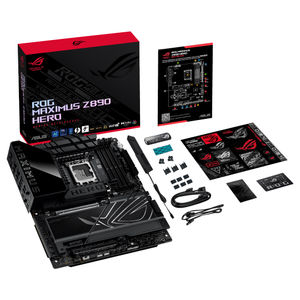
| Accessories | Cables 1 x ARGB RGB extension cable 4 x SATA 6Gb/s cables Additional Cooling Kit 1 x DDR5 fan holder 1 x Thermal pad for M.2 22110 Miscellaneous 1 x ASUS WiFi Q-Antenna 1 x Q-connector 1 x M.2 Q-Latch package 3 x M.2 Q-Slide packages 1 x ROG stickers 6 x M.2 rubber packages 1 x ROG thank you card 1 x ROG Bottle Opener Installation Media 1 x USB drive with utilities and drivers Documentation 1 x Quick start guide |
| Operating System | Windows 11 (22H2 & later) |
| Form Factor | ATX Form Factor 12 inch x 9.6 inch ( 30.5 cm x 24.4 cm ) |
| Product (mm) L x W x H | 305mm x 244mm x 50mm |
| Weight (Motherboard Only) | 2.729 kg |
