






Gigabyte AORUS CO49DQ DQHD 144Hz HDR Curved 49in Monitor
CO49DQ | GigabyteThis product has been discontinued

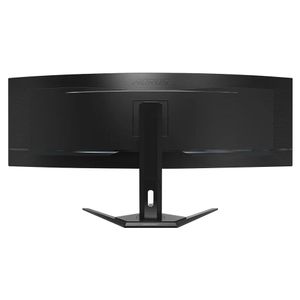



DisplayNinja
"The Gigabyte CO49DQ offers an immersive and responsive gaming experience thanks to its 49″ 5120×1440 144Hz QD-OLED panel. Moreover, it has plenty of useful features, including VRR support, PiP/PbP, built-in KVM and more!" Full review
Features
AORUS CO49DQ Gaming Monitor
Doubled Up!
Everything is now doubled up on the AORUS CO49DQ, the super ultra-wide gaming monitor with a 49-inch display in 32:9 aspect ratio. Vision advantages for gamers? Doubled up! Productivity for professionals? Doubled up! Even the OLED longevity is extended with the latest OLED Care protection.
- QD-OLED Lifelike Colours
- Dual QHD 5,120 x 1,440 pixels
- HDMI 2.1 VRR and ALLM
- 99% DCI-P3
- 10 bits Colour depth
- 0.03 ms GTG
Ultrawide Experience - Panel
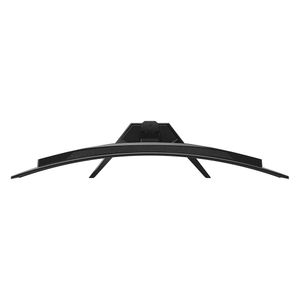
Equivalent to two 16:9 27" QHD displays and with a soft curvature of 1800R, AORUS CO49DQ offers an ultimate immersive experience with its ultrawide screen. It better fits contents such as flight simulator, multi-media editing, multi tasking or anything that needs to be seen widely.

Flight Simulator

Film / Music Editing

Multi Tasking

Multi-Tasking Like a Pro
The 32:9 aspect ratio is easily split into two 16:9 display area and used as two monitors seamlessly side-by-side.

KVM
KVM feature allows you to control multiple devices via one set of keyboard, video and mouse.

PIP / PBP
The PIP and PBP functions allow users to view different video sources which are presented in one screen at the same time, you are able to watch the game guides at the same time using only one monitor!

OLED Care
AORUS uses AI-based algorithm to minimize the risks of burn-in issues and deploys it across a series of OLED protecting technologies on the AORUS CO49DQ.
Longer
OLED Care efficiently minimize the risks of burn-in issues.
Smarter
OLED Care runs AI-based presets in the background with minimal interference.
Customizable
OLED Care includes different setting that can be adjusted as you wish.
Tactical Features
OSD Sidekick
GIGABYTE OSD Sidekick allows you to set the display options with keyboard and mouse, giving you the easiest way to adjust monitor settings.
Dashboard
The Dashboard shows you critical hardware information in real-time. No matter what kinds of scenario, it won't be blocked by any game. It's even customizable that you get to choose to show the info that matters to you most!
Black Equalizer
The Black Equalizer deepens the details of the dark side on the scene without affecting other display areas. Just enable this feature to reveal all of your hidden enemies!
Game Assist
Timer
Onscreen timer will assist you on tracking the elapsed game time.
Crosshair
This feature will allow you to customize crosshairs that helps improve your aim in the shooting game.
HDR Mode
This feature will reduce motion blur so you will have a better visual clarity that helps tracing the track of bullet and aim the target easily.
6 Axis Colour Control
This feature allows you to adjust six colours (red, green, blue, cyan, magenta, and yellow) individually to more accurately display the colour gamut on the monitor
Auto-Update
The exclusive Auto-Update function allows users to effortlessly enjoy the finest gaming experience with features AORUS continues to develop and upgrade while giving extra protection to your monitor.
Gigabyte Control Center
GIGABYTE CONTROL CENTER is a unified software for all GIGABYTE supported products. It provides an intuitive interface that allows users to adjust clock speed, voltage, fan mode and power target in real-time.
Design Concept
In the AORUS dimension, everything is constructed digitally. The lighting and patterns are mapped onto the products with an efficient, free flowing style. Welcome to the Digital Code Era.
Specifications
| Model Number | CO49DQ |
| Panel Size (Diagonal) | 49" OLED |
| Display Viewing Area (H x V) | 1,196.7 x 339.2 mm |
| Panel Backlight / Type | Edge |
| Display Surface (Non-Glare / Glare) | Anti Reflection |
| Colour Saturation | 99% DCI-P3 |
| True Resolution | 5120 x 1440 (DQHD) |
| Pixel Pitch | 0.2331 (H) x 0.2331 (V) mm |
| Brightness | 250 cd/m2 (Typ) |
| Contrast Ratio | 1500000:1 |
| Viewing Angle | 178° (H) / 178° (V) |
| Display Colours | 10 bit (1.07B) |
| Response Time | 0.03 ms GTG |
| Refresh Rate | 144 Hz |
| HDR | VESA DisplayHDR True Black 400 |
| VESA Certified ClearMR | ClearMR 8000 |
| Flicker-Free | Yes |
| HBR3 | Yes |
| Factory Calibration | Yes |
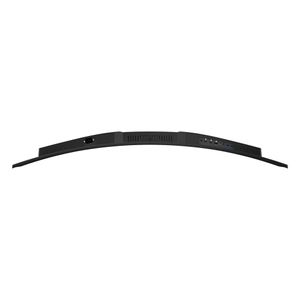
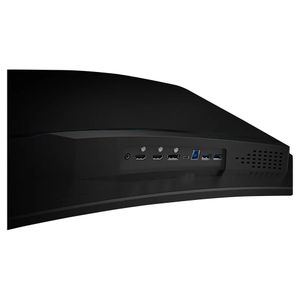
| Connectivity | 2 x HDMI 2.1 1 x DisplayPort 1.4 1 x USB Type-C (Alternate Mode; Upstream port; Power Delivery up to 18W) 2 x USB 3.0 Downstream ports 1 x USB 3.0 Upstream port 1 x Earphone Jack |
| Earphone Jack | Yes |
| Speaker | 5 W x 2 |
| Unique Features | OSD Sidekick (To enable OSD Sidekick, it requires connection between PC and monitor with USB (A-Male to B-Male) cable.) Black Equalizer Dashboard Crosshair Timer Counter PiP / PbP Auto-Update KVM 6 axis Colour Control Apply Picture Mode HDMI-CEC |
| Power Type | Power Board Build-in |
| AC Input Max | 72 W (The test condition follows CEC standards.) |
| Power Saving Mode | <0.5 W |
| Power Off Mode | <0.3 W |
| Voltage | AC 100 - 240 V ~ 50 / 60 Hz |
| Tilt (Angle) | -5° ~ +20° |
| Swivel (Angle) | ± 30° |
| Height Adjustment (mm) | 130 mm |
| VESA Wall Mounting (mm) | 100 x 100 mm |
| Kensington lock | Yes |
| Phys. Dimension with Stand (W x H x D) | 1194.78 x 558.80 x 261.52 mm |
| Phys. Dimension w/o Stand (W x H x D) | 1194.78 x 372.23 x 160.51 mm |
| Net Weight with Stand (Esti.) | 11.28 kg |
| Net Weight without Stand (Esti.) | 8.33 kg |
| Accessories | Power cable / HDMI cable / DP cable / USB cable / QSG / Warranty card / Colour Calibration Testing Report |
